
ePrescriptions
Optomate Touch integrates seamlessly with the Parchment.health ePrescription platform—powered by the eRx Prescription Exchange—enabling Australian optometrists to electronically generate, send, and track patient prescriptions with ease and compliance.
To register your Parchment account simply click here to create your Parchment account. Please note that each provider must register for their own individual account. If 50 ePrescriptions per month meets your needs, you can choose the $35/month plan.
Your business will receive an Organisation ID and Secret Key and unique Parchment User ID linked to your provider account.
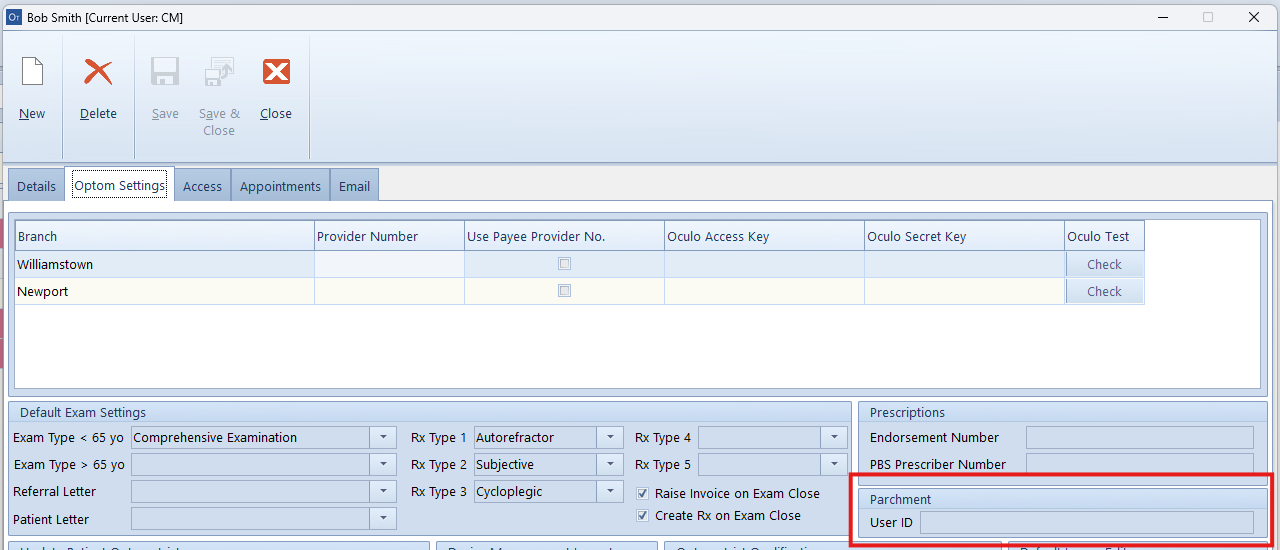
To enter your User ID, go to the Optomate Touch main menu and click on the Setup > Users tile. Open your optometrist record, then select the 'Optom Settings' tab. Enter your Parchment ID in the designated field.
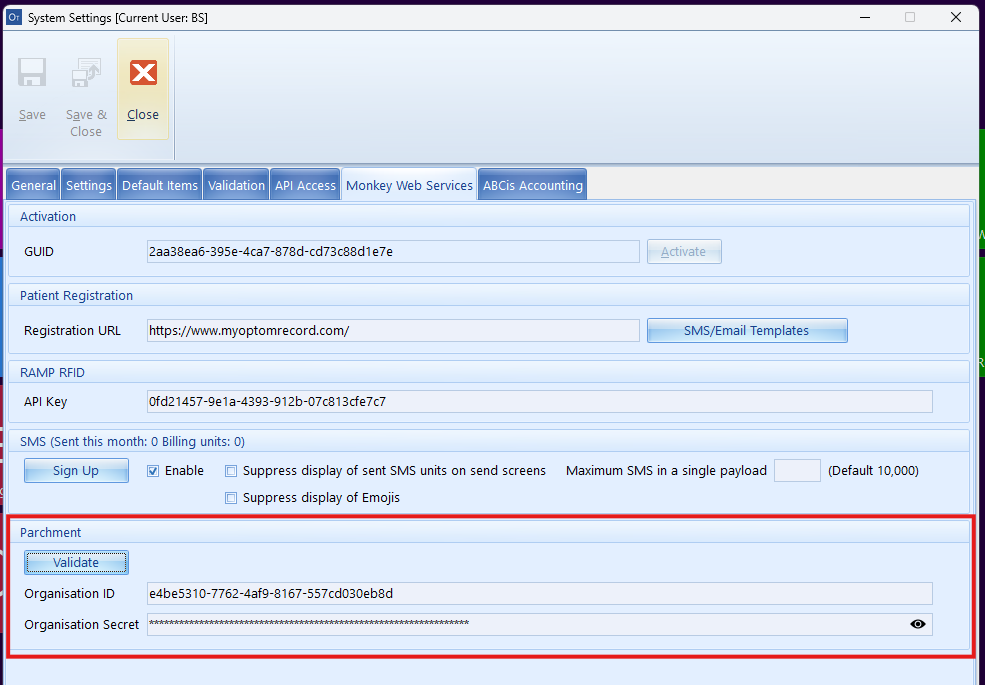
To enter your organisation credentials, navigate to the Optomate Touch main menu and click on the Setup > System Settings tile. Then, select the 'Monkey Web Services' tab and enter your credentials in the appropriate fields. Then click on the 'Validate' button to register your account with the Parchment platform.
Once set up, Optomate will disable the existing medication functions on the examination room screen, however, you will still be able to view your historical medication records.
To create a new ePrescription, click this button in the examination screen.

To view previously entered ePrescriptions, click the down arrow on the Parchment button and select 'View ePrescriptions'. A report will then display all medications previously prescribed by this provider.
For security purposes, the optometrist assigned to the examination must match the user credentials. Additionally, the optometrist logged into Optomate Touch must be the same as the one assigned to the examination.