
Receive Batch Payment
Receive Batch Payment
The Receive Batch Payment facility allows you to pay of a group of outstanding Invoice Items that have been batched together. Note that you should not process a Receive Batch Payment for electronic claims until you have received your EFT and/or Exception Reports.
Click on the Receive Batch Payment button at the top of the Institution Menu.

Double-click on the Batch you wish to pay then check the Total Amount, Date Received (which defaults to today) and Payment Type is correct.
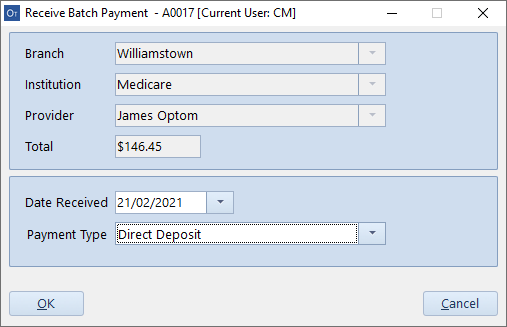
Click OK to process the payment.