
Introduction
Welcome to Optomate Touch, Australia & New Zealand’s favourite Practice Management and Electronic Health Record System for independent optometry.
This first overview topic outlines top level information that you need to know before you read the specific help notes relating to each Optomate Touch module.
System Registration
Your business name and address details are linked to the Optomate Touch registration code. Changing business name and/or address details will result in you needing to contact Monkey Software for a new registration code.
Global settings, such as Business Details and Tax Method are accessed via the System Settings tile on the main menu.
Branch specific settings are accessed under the Setup Menu > Branches.
Device specific settings are access under the Setup Menu > Workstation.
Tax
Optomate Touch utilises a proportional tax formula for the purposes of calculating cash-based or payment-based tax on invoices. Previous versions of Optomate, such as the Premier Series, utilised a stock-type formula, attributing tax to GST-Free items first.
For example, a Patient Invoice for Frame $300 ex-tax (taxable item) and Lenses $200 ex-tax (non-taxable item) and a payment of $250 will result in a GST of $13.64 (where GST is 10%) in Optomate Touch and $4.55 in previous editions of Optomate.
If you’re converting from a previous edition of Optomate to Optomate Touch and your business uses the cash-method for tax, the system will produce a report named ‘Cash-Based Tax Adjustments.pdf’ found in the C:\Optomate Touch folder highlighting adjustments that you may need to make in your accounting system or next Activity Statement.
The GST Accrual Method calculation remains unchanged.
Optomate Premier Series Users
If you are converting from the Optomate Premier Series we recommend that, prior to converting, you :-
- Complete and clear all outstanding banking.
- If you are using the ABCis Accounting integration facility, that you export and import all current sales and arrival information.
- If you are using the Online Medicare/DVA Claiming facility, that you receive all outstanding claims and do not send any new claims until you convert.
All Premier Series equipment integrations are available in Optomate Touch, except the Digital Healthcare/Iris DHClient application which requires an upgrade to be developed by Digital Healthcare. Note that if you are using the Medmont Studio integration then you must be running Release 6.x or above.
Please also note that the formula for recall success has been amended resulting in recall success ratios only being calculated moving forward after conversion. The new formula calculates recall success based on patient consultation invoices. The user can stipulate the time period they deem a recall is successful eg. 100 invoices raised including a consultation for chosen period (all different patients) = 100 attendances. 50 of them were last sent a recall within your chosen period = 50% hit rate.
Both Optomate Touch & Optomate Premier store the cost of items at the time of a sale. The Optomate Touch Series, however, does not store the cost of an item within the line item of a Patient Invoice Return or Cash Sale Return where that item is marked as Non-Inventory. This may result in a slightly different Average Cost for a period, compared with the Premier Series.
All data is converted from the Premier Series to Touch Series, except Letter/Email/SMS Templates, Historical Appointments, Inventory Transactions, Historical Recall Transactions, Completed Inventory Transfers & Inventory Write off’s, due to the new data structures and logic employed in the Touch Series.
Optomate Touch also includes a theme facility that automatically changes the system user interface to reflect holidays for Halloween, Christmas and Valentines Day. If you want to disable the theme option you can tick the System Settings '[ ] Suppress Holiday Themes option'.
Backup
If you are not using a third party facility to backup your Optomate Touch database and documents, you can run the OTBackup.exe found in the \Optomate Touch application folder.
We recommend you backup your Database & Documents folders every day.
For cloud-based backup we recommend i360 Cloud Services.
Technology
Optomate Touch utilises a Microsoft SQL Server database and ships with MS SQL Server Express edition, providing a 10GB database threshold, more than enough for a single practice.
Larger Enterprise edition installations may require Standard, Business Intelligence or Enterprise editions of MS SQL Server requiring you to purchase an appropriate Microsoft license.
System Requirements
You can find up to the date system requirements here.
If you have any questions, please call Monkey Software on 1300 650 295 (Australia) or 0800 666 539 (New Zealand).
How to update your software
Before running the software update procedure, ensure all users have exited Optomate Touch on all computers.
On your main PC (server PC) you should find an "Update Optomate Touch" icon on your Desktop.
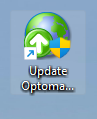
Double-click this icon and follow the prompts. The update process will automatically run a Database Utility process that may take some time.
If you cannot find the shortcut on your Windows Desktop, open the location where the Optomate Touch application is installed to and find the Update.exe application and run this.
Monkey Web Services (MWS)
While the Optomate Touch series is an on-premises application, meaning it is installed on your server, some functionality is performed through our Monkey Web Services platform, which is hosted on Microsoft Azure's 'Platform as a Service' and supports various cloud applications.
The MWS platform is the foundation for the next generation Optomate.Net cloud solution and currently hosts the following modules.
- Australian Postcodes.
- Medicare Benefit Schedule.
- Frames, Sunglasses, Spectacle Lenses, Contact Lenses, Solutions & Miscellaneous Items.
- Items Categories, Frame Materials & Constructions.
- Some Spectacle & Contact Lens Ordering data.
- Online Medicare & DVA Claiming.
- SMS.
- Customer Feedback.
- Optomate Notifications.
- Patient Registrations.